
RevThat Blog
The technical journal of Eric Boehlke.
Latest posts


Experiment
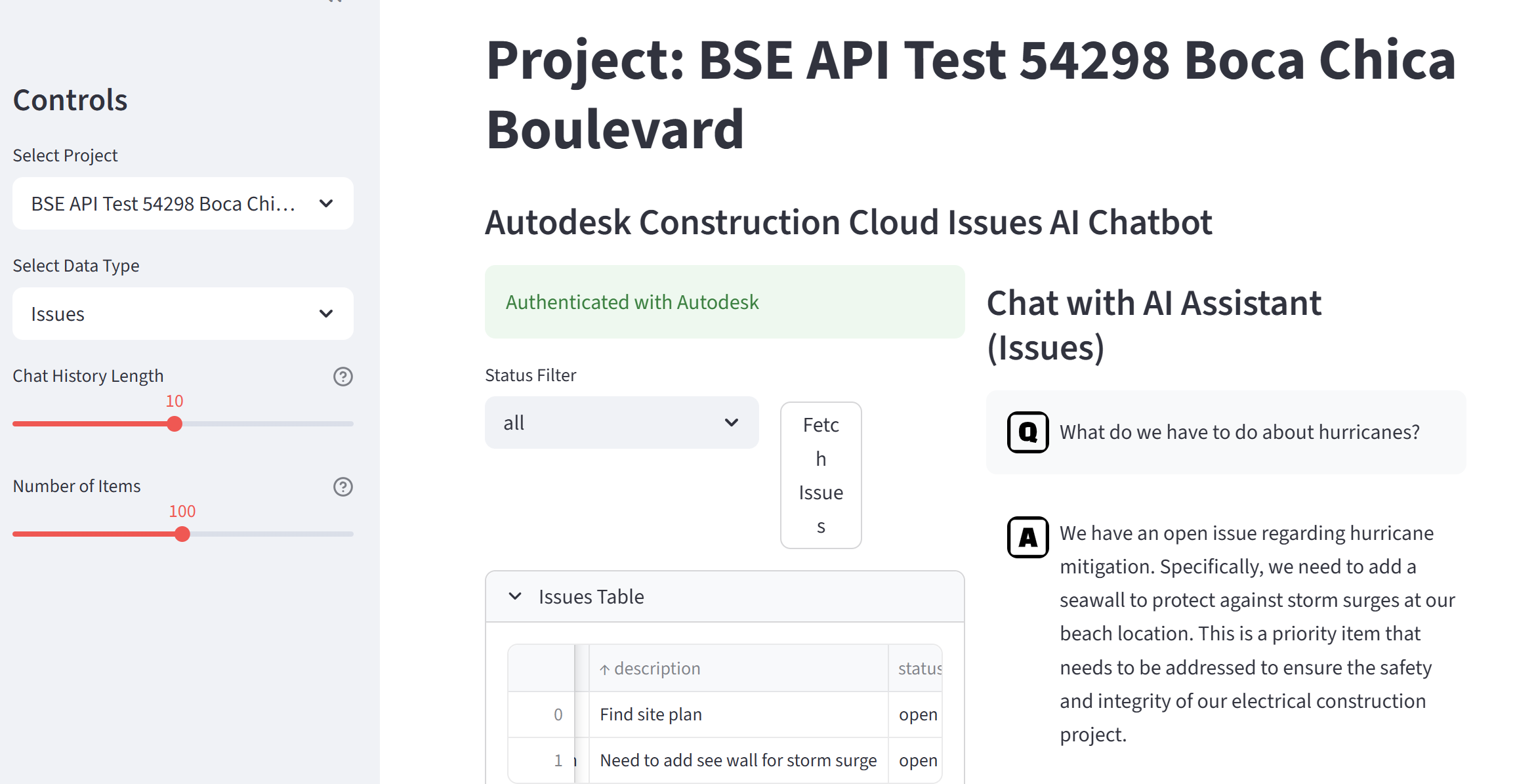
- When Autodesk API Auth Fails
- Using QA Pairs for Recursive Chatbot Performance Improvement
- Your Personal UX Critic: Using Gemini LLM to Roast Your App Demos
- Deploying a Streamlit App on Your VPS (with Cloudflare for the Subdomain)
- Keyword and Semantic Search with Contextual Reranking for Enhanced LLM Queries
- Optimizing Vector Storage: Moving from Pinecone to SQLite for Static LLM Applications
- Using a Prompt File with Cursor Streamlit
- Create and Publish an Interactive Web App Using Cursor and Streamlit
- Programming with Bing Chat AI as Helper
- How to Get a List of Installed Apps in Windows
- Upgrading to Revit 2023.1.1 Update
- Comparing OBJ Import Revit 2022 Addin vs Native Import
- Upgrading Revit API Apps For Newer Revit Versions
- How to get coordinates of View, then use them for placing other Views in Dynamo
- Using Autodesk Viewer for a Revit Project
- Getting Revit Background Building Massing From InfraWorks
- Updating Origin of Meshes with MeshLab
- How to Publish a Pano Tour with Enscape Renderings
- Preparing Meshes for Import to Revit as DirectShape
- Search for Dynamo Nodes from a Website
- How to Make a Seamless Revit Rendering Texture from a Photo
- Working With Revit 2019 Advanced Materials
- Free(ish) Software For the AEC Professional
- How To Make A Pano Tour From Revit
- Converting Revit Panorama Renderings to Equirectangular Projection
- Lighting Revit Cloud Rendering Scenes
- Enabling NVIDIA Graphics Instead of Intel Integrated Graphics on a Laptop
- DWG Software
- Dynamo Videos
- Project Tango Scanning to Revit
- Big Project Commandments
- Turning artwork to mesh for import to Revit
- Photogrammetry Mesh into Revit as Point Cloud
- Sketchy Lines In Revit
- New Point Cloud Manipulation Videos Posted — ReCap / Revit / AutoCAD
- Cleaning Up The Disks
- Beware the Disjoin
- How to Get a Color From Your Screen into a Revit Material
- 3D Detailing in Revit
- Voids in un-hosted families can be used to cut objects in projects in Revit 2012
- Art Gallery Walkthrough Video
- Three Revit Tutorials About Topography
- Section Boxes in perspective views
- Some Autodesk Revit Architecture 2011 Tutorial Videos
- A great freeware utility – Clipboard Help+Spell
- Getting Educational Licences of Autodesk Software