
Whereas some Web viewers for pano and spherical images require equirectangular projection, but Revit pano cloud rendering makes cube mapping, here is a way to convert those renderings.
Make pano rendering from Revit
The old rendering-beta gallery URL is gone. Download from Autodesk Rendering or the Render Gallery in-product.

Extract <image.png> from the .zip

Cut the image into six pieces
One way to do it is to use https://www.imgonline.com.ua/eng/cut-photo-into-pieces.php

Make equirectangular projection from the six images
Use https://nadirpatch.com/cube2sphere/

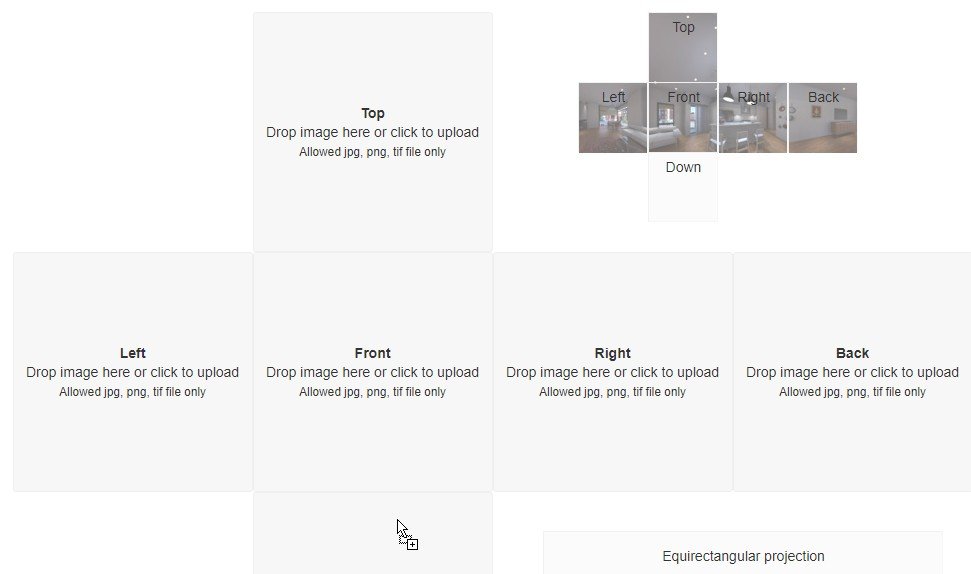
Drag-and-drop the six image files into the squares on the page thusly:
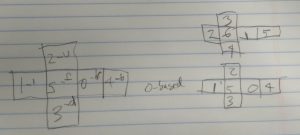
- Top = image_part_003.png
- Left = image_part_002.png
- Front = image_part_006.png
- Right = image_part_001.png
- Back = image_part_005.png
- Down = image_part_004.png
This took a while to figure out which image goes where…
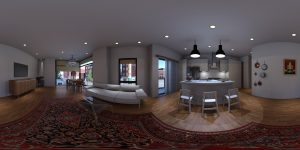
Download the resulting TIF image and convert to JPG or PNG. Many ways to do that. I recommend FastStone Image Viewer. Lighting and other values can also be adjusted.
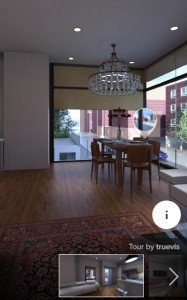
The resultant image may be used on sites such as Kuula. Roundme is gone. Kuula does not work the same, and the upload/tour steps will differ.
Usage Example
Update
Autodesk, as of February 2018, has added an Equirectangular download option to their rendering gallery, thus making the methods described in this post unnecessary.